
I tried VR for the first time and threw up after three minutes. Not proud of it. But it happened.
You’re here because you want to play VR games (not) fight your own stomach. You’ve seen the videos. You’ve heard the hype.
Now you just need to know how to actually do it.
This isn’t a tech manual. It’s what I wish someone had told me before I tripped over my own cables and stared blankly at a menu I couldn’t figure out.
You’ll learn how much space you really need (spoiler: more than you think). How to hold the controllers without looking like you’re holding live grenades. What to do when the world spins.
And why it happens.
Gameplay for Beginners Vrstgameplay means skipping the jargon and going straight to what works. No theory. No fluff.
Just real steps that keep you upright and in the game.
You’re not behind. You’re not slow. You’re just starting.
Like everyone else did.
I’ll show you how to set up, how to move, and how to stop feeling like a confused robot in someone else’s headset.
By the end, you’ll know exactly what to do before your first launch.
And you’ll actually enjoy it.
VR Play Space: Your Real-World Rulebook
I set up my VR space wrong the first time. Tripped over a stool. Hit my shin on the coffee table.
You don’t want that.
Start with Gameplay for Beginners Vrstgameplay. It’s where I learned the hard way: no space, no safe play.
Your Guardian or Chaperone system isn’t optional. It’s your virtual fence. I draw mine tight.
Smaller than the room. And test it before every session.
Clear the floor. Not just big stuff. Cords.
Pet toys. That one loose rug corner. My cat?
She gets relocated. (She glares. I don’t care.)
Wear clothes you can move in. No baggy sleeves. No flip-flops.
Just real movement.
Lighting matters. Too dark? Sensors lose you.
Too bright? Glare messes with tracking. I use two lamps.
No windows behind me.
You think you’ll remember where the wall is. You won’t. The boundary saves you.
Is your space smaller than you’d like? Good. Smaller means safer.
Test it barefoot first. Then add shoes. Then add intensity.
If you’re ducking furniture mid-game (you) messed up the setup. Stop. Fix it.
Now.
VR Controllers Are Not Magic
I held my first VR controller and panicked. It looked complicated. It’s not.
You push it forward to walk, sideways to strafe. (Yes, some games let you teleport instead. I hate that.)
The joystick moves you. Not your whole body. Just your view or avatar.
The trigger pulls back to shoot, grab, or interact. It’s the main button. Use it for 80% of what you do.
The grip button closes your virtual hand. Hold it and move your wrist. You’re holding a sword, a cup, a grenade.
Let go and it drops. Simple.
Face buttons? Usually menu navigation or quick actions. One opens inventory.
Another reloads. They change per game. Check the tutorial.
Or just press them.
Pointing in VR is just aiming with your hand. You point at a menu item. Hold the trigger.
It clicks. That’s raycasting. No mouse needed.
Picking up a coffee mug feels real because the grip button + haptics vibrate when you close your fingers. A door opens when you point and pull the trigger like a handle. A button on a wall lights up when you aim and click.
Haptics sell the lie. Without them, it’s just shapes floating in air.
This is Gameplay for Beginners Vrstgameplay. Start here. Skip the manual.
Just hold the controller and try one thing: point and pull the trigger. Did something happen? Good.
Now do it again.
Teleportation or Walking in VR
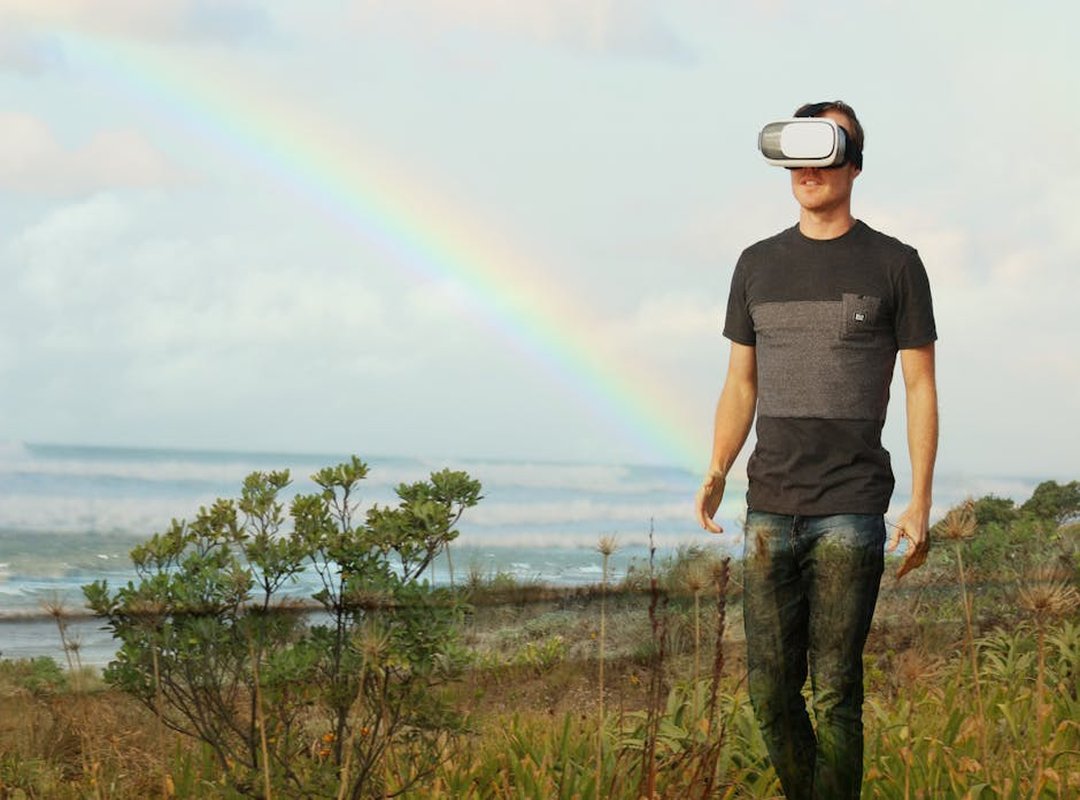
I point. I click. I jump.
That’s teleportation. You aim a reticle, press a button, and poof. You’re there.
No walking. No turning. Just instant relocation.
It cuts motion sickness. Hard. Most beginners don’t puke with teleportation.
(And yes, I’ve puked. Twice.)
But it feels fake. Like clicking around Google Maps instead of walking down a street.
Smooth locomotion is different. You push the joystick and your avatar walks. Or runs.
Through the world. It’s how real people move. Your brain gets it.
But your stomach? Not so much. That disconnect between what your eyes see and what your inner ear feels hits fast.
Nausea kicks in before you find the ammo.
So start with teleportation. Always. Even if you think you’re tough.
Then try smooth locomotion for 90 seconds. Then stop. Try again tomorrow.
Build tolerance like muscle.
Most games let you tweak comfort settings. Snap turning locks rotation to 30- or 45-degree jumps. Vignettes dim your peripheral vision during movement.
Both help.
Some titles even mix both systems (you) teleport across rooms but walk inside them. Smart.
If you’re just starting out, check the Tutorial for Valorant Vrstgameplay for how these choices affect actual play.
You’ll feel the difference in five minutes.
Not five hours. Five minutes.
Which one made you dizzy first?
Start Small. Breathe. Play.
I started with a VR painting app. Not a shooter. Not a roller coaster.
Just color and space. You don’t need adrenaline to learn presence.
Skip the fast-paced games at first. Your brain is learning new physics. It’s not lazy.
It’s recalibrating. (Yes, that floaty feeling is normal. No, you’re not broken.)
Look for titles with built-in tutorials and comfort settings. Not all VR games treat motion the same way. One game’s teleport is another’s smooth turn.
And your stomach notices the difference.
Take breaks every 15 minutes. Set a timer if you have to. VR sickness isn’t failure.
It’s feedback. Listen to it like you’d listen to a sore muscle.
Read every prompt. Even the boring ones. Controls change between games.
A flick of the wrist in one might be a button hold in another. Assume nothing. Watch.
Try. Adjust.
It gets easier. Not instantly. But by the third session, things click.
Your balance steadies. Your eyes relax. You stop bracing.
Want more practical tips? I cover similar pacing and control habits in Valorant for beginners vrstgameplay. Same idea: start where your body is.
Not where the game assumes it should be.
Your First VR Game Starts Now
I remember my first time strapping on a headset. My hands shook. I backed into a chair.
I thought I’d puke. Turns out. Most people do.
That’s why Gameplay for Beginners Vrstgameplay exists. Not to impress you. Not to dazzle you.
To get you standing, moving, and playing without panic.
You don’t need perfect setup. You don’t need fancy gear. You just need to know where your feet are (and) when to sit down.
Did you feel that wave of “What if I break something?”
Yeah. Me too. That’s the pain point.
And it’s real.
So here’s what you do next:
Pick one game from your library. Set up just enough space to swing your arms. Put the headset on.
Breathe. Then press play.
No prep. No overthinking. Your body learns faster than your brain thinks.
This isn’t about mastering VR today.
It’s about trusting yourself in it.
Go. Open the app. Start the tutorial.
Now.